





Globe is expanding access to digital learning resources for Filipino students, parents, and teachers through its partnership with Khan Academy Philippines, providing free educational content and AI-powered tools that can complement classroom instruction.
The initiative comes as the country observes National Teachers’ Month, with Globe positioning digital technology as an additional resource for educators and families supporting students’ learning beyond the classroom.
Through the partnership, students can access Khan Academy’s lessons, interactive exercises, quizzes, and instructional videos covering subjects including mathematics, science, and English.
Teachers can use the platform to assign lessons and mastery goals, monitor student progress, and identify learning gaps that may require additional support.
AI tools for teachers
A key component is Khanmigo, an AI-powered tool available free to teachers that can assist with classroom preparation.
Khanmigo can support tasks such as lesson planning, creating rubrics and exit tickets, differentiation, and standards-aligned lesson plans. The technology is designed to help educators streamline preparation while allowing them to spend more time engaging with students.
Khan Academy Philippines also offers Khan for Educators (Philippines), an introductory course designed to help teachers integrate Khan Academy into classroom practice.
“Teachers play an extraordinary role in helping young Filipinos learn, grow, and keep moving forward, but they don’t have to do it alone,” said Yoly Crisanto, Chief Sustainability and Corporate Communications Officer at Globe.
“Technology can lighten their load while giving students more ways to learn beyond the classroom. By making trusted learning resources easier to access, we hope to support teachers and families as partners in every child’s learning journey,” Crisanto said.
Digital learning extends to the home
Parents can also use Khan Academy’s Parent Dashboard to monitor their child’s activity, assignments, and progress reports and identify areas where additional support may be needed.
For teachers, the platform provides tools for creating classes, adding students, assigning videos and exercises, setting mastery goals, and reviewing progress reports.
Geraldine Acuña-Sunshine, President and CEO of Khan Academy Philippines, said the partnership aims to make learning resources more accessible to Filipino families and educators.
“Every learner should have the opportunity to learn at their own pace and get the support they need,” Acuña-Sunshine said.
Khan Academy Philippines is the first international licensee of the global nonprofit Khan Academy and is working to localize educational content aligned with the Department of Education curriculum.
The organization received the first DepEd Partner-Hero award in January 2026 and has also been recognized by the Department of Education for its role in the Philippines’ recent PISA achievement.
Khan Academy access through Globe
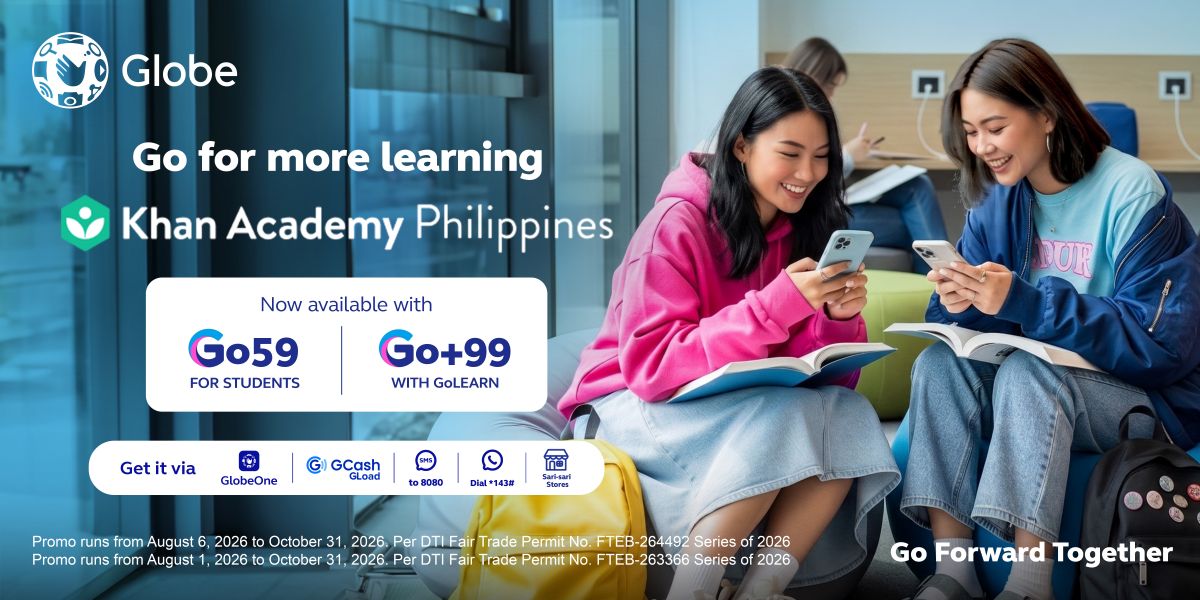
Khan Academy is available through select Globe offerings, including Go59, which includes 1GB of allocated data, and Go+99 with GoLEARN, which includes 8GB of allocated data.
The allocations provide access to Khan Academy through the web or mobile app, with students and teachers also able to access Khanmigo.
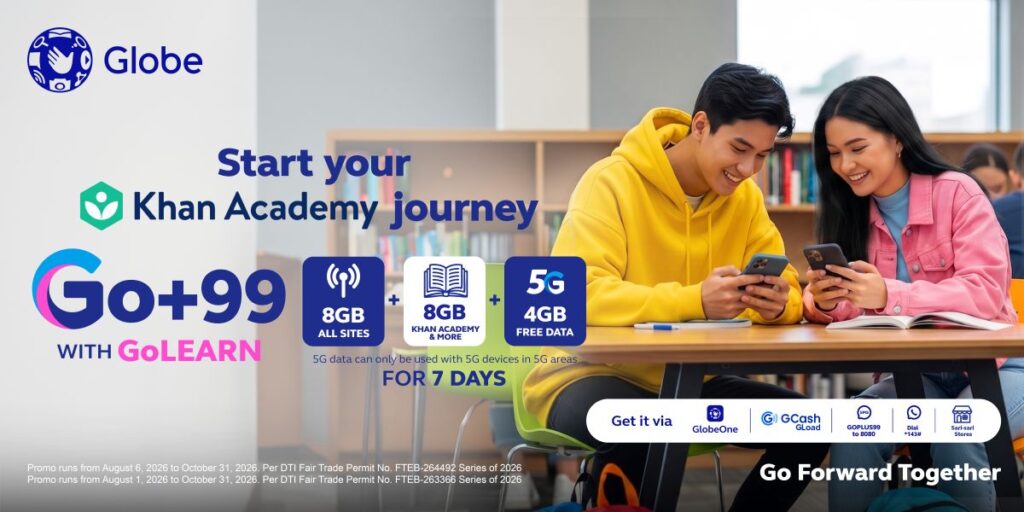
Customers can subscribe through the GlobeOne app.
How to access Khan Academy for students
- Open the GlobeOne app.
- Tap Help, then “Looking for Life Essentials?”
- Select Khan Academy under Education.
- Tap Sign up or Log in.
- Choose Learner as your role.
- Select your grade level and subjects.
- Choose a subject such as Math, Science, or English.
- Start a lesson, answer practice questions, and continue practicing to improve your mastery level.
How parents can use Khan Academy
- Open the GlobeOne app.
- Tap Help, then “Looking for Life Essentials?”
- Select Khan Academy under Education.
- Tap Sign up or Log in.
- Choose Parent as your role.
- Open the Parent Dashboard.
- Select Add a child.
- Connect an existing child account or create a new one.
- Monitor activity, assignments, and progress reports.
How teachers can use Khan Academy
- Open the GlobeOne app.
- Tap Help, then “Looking for Life Essentials?”
- Select Khan Academy under Education.
- Tap Sign up or Log in.
- Choose Teacher as your role.
- Create a class and add students.
- Assign videos, exercises, quizzes, or mastery goals and review student reports.
- Explore Khanmigo Teacher Tools for lesson planning, rubrics, exit tickets, differentiation, and standards-aligned lesson plans.
- Teachers in the Philippines can also take Khan for Educators (Philippines) to learn how to integrate Khan Academy into classroom practice.
The partnership highlights how connectivity, digital learning platforms, and generative AI tools are increasingly being integrated into education, giving teachers and families additional ways to support learning both inside and outside the classroom.